Introduction
This week, I started a script to automate customization and setup of my personal Linux VMs, allowing me to spend more time on projects and practice. I plan to add more to this script as time allows.
Objectives
My objectives for the first edition of this script were as follows:
PimpMyKali
PimpMyKali is a script used to install necessary fixes and useful security scripts to Kali Linux. In this project, I first test if the VM is an instance of Kali using uname -a, then download the script using git clone, and run it. The --all and --upgrade flags allow the script to run without user input.

Aliases
Aliases are shorthand keywords used to quickly reference commands in a Linux terminal. While some are already set by default (e.g. ls -l = ll in zsh), it is also possible for the user to add their own by editing the configuration file. For now, the .zshrc configuration file is used as that is in Kali Linux's zsh terminal, but I plan to update this to utilize the appropriate configuration file depending on the terminal.
My first step was adding a section header to the .zshrc file and adding the sudo alias if it did not already exist. This allows me to use sudo with all future aliases I add to the terminal.
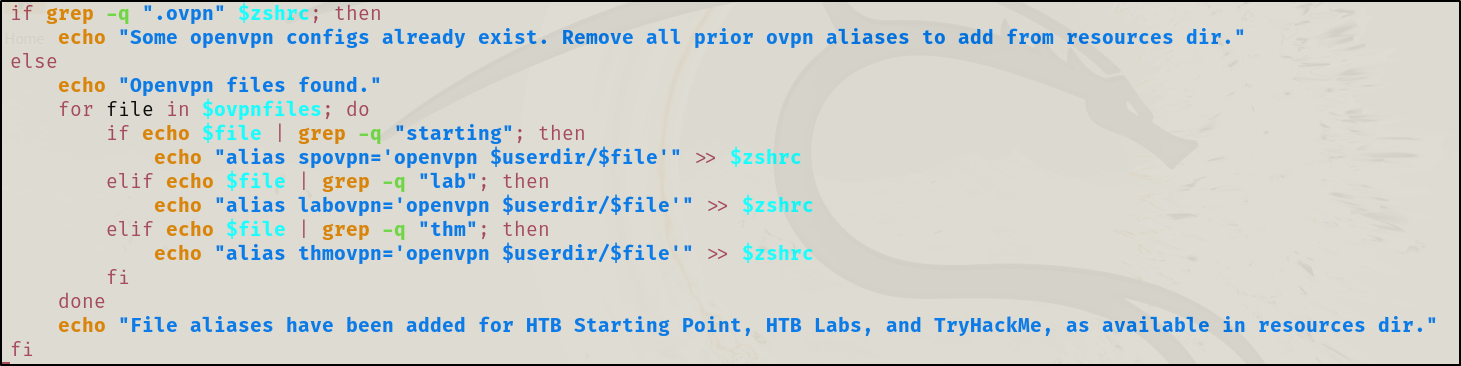
My next step was actually finding the .ovpn files. After some consideration, I decided the best implementation was adding a resources directory in the current working directory with the appropriate .ovpn files. This would allow others to use the script with their own files provided they added the new directory. While I initially counted the underscores in each file name (2 for HackTheBox Starting Point, 1 for HackTheBox Labs, and 0 for TryHackMe), I found this to be unreliable at best. Instead, I decided to prepend the filenames with specific strings (e.g. "lab" for HTB Lab files) to identify them, making it easy to expand this section later. For each file name found in the resources directory, I added an associated alias line to the .zshrc using echo and output redirection (>>).
Finally, if it was not already there, I moved the resources directory to the user's home directory to allow for easy location later on.
Next Steps
Having completed this initial phase of the script, I plan to add more features in the future.
This will include: